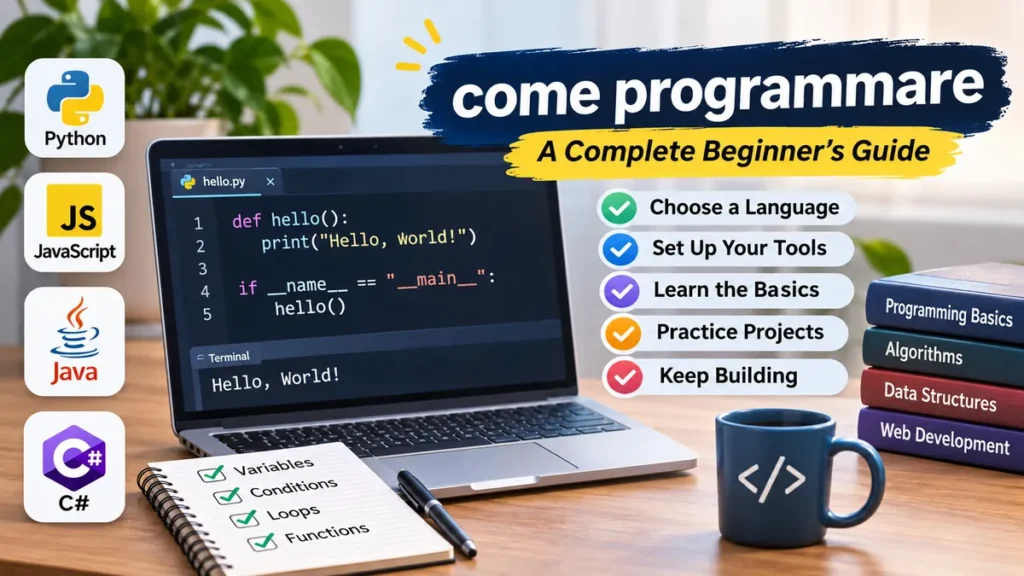
Learning to program can feel overwhelming when you encounter unfamiliar code, dozens of programming languages, and complicated development tools. The good news is that you do not need advanced mathematics, an expensive computer, or a computer science degree to begin.
If you have searched for come programmare, the Italian phrase meaning “how to program,” you are probably looking for a straightforward way to understand coding and start building something useful.
Programming is the process of writing instructions that computers can execute. Beginners can start by choosing a language such as Python or JavaScript, learning variables, conditions, loops, and functions, and practicing with small projects. Consistent hands-on coding helps turn basic knowledge into practical problem-solving skills.
This guide explains how programming works, which language to learn first, how to write your first program, and how to progress from simple exercises to real applications.
What Does come programmare Mean?
The phrase come programmare translates from Italian to English as “how to program.” In computing, it generally refers to learning how to create software by writing instructions in a programming language.
Programming allows developers to build websites, mobile applications, games, automation tools, artificial intelligence systems, and countless other digital products.
A computer program is essentially a sequence of instructions designed to accomplish a particular task.
For example, imagine creating a program that calculates the total cost of three products. Instead of manually adding their prices every time, you can write instructions that perform the calculation automatically.
A basic Python example looks like this:
price1 = 15price2 = 25price3 = 10total = price1 + price2 + price3print("Total price:", total)Output:
Total price: 50Although this example is simple, it demonstrates the fundamental principle of programming: providing input, processing information, and producing an output.
How Computer Programming Works
Programming involves several connected components:
- Source code: Human-readable instructions written in a programming language.
- Programming language: A formal system defining how instructions are written.
- Compiler or interpreter: Software that translates or executes program instructions.
- Runtime environment: The environment in which the program operates.
- Output: The result produced when the instructions execute.
Some languages, such as C and C++, are typically compiled into machine code before execution. Others, such as Python, commonly use an interpreter and an intermediate representation called bytecode.
JavaScript is executed by engines such as V8, which use techniques including just-in-time compilation to improve performance.
Understanding these differences is useful, but beginners do not need to master them before writing their first program.
How to Start Learning come programmare Step by Step
The most effective approach to learning programming is to begin with a clear objective and gradually increase the complexity of your projects.
Step 1: Decide What You Want to Build
Before choosing a programming language, consider what interests you.
Different development goals require different technologies.
| Your goal | Languages and technologies to explore |
|---|---|
| Create websites | HTML, CSS, JavaScript |
| Build web applications | JavaScript, TypeScript, Python |
| Develop Android apps | Kotlin, Java |
| Create iPhone applications | Swift |
| Automate repetitive tasks | Python, PowerShell |
| Analyze data | Python, SQL, R |
| Develop video games | C#, C++, GDScript |
| Build embedded systems | C, C++, Rust |
| Explore artificial intelligence | Python |
HTML and CSS are essential web technologies, although HTML is a markup language and CSS is a style sheet language rather than general-purpose programming languages.
If you are unsure about your eventual specialization, Python is a reasonable starting point because its syntax is relatively readable.
Step 2: Choose Your First Programming Language
One common beginner mistake is trying to learn several programming languages simultaneously.
Although languages share fundamental concepts, each has its own syntax, tools, and conventions.
Start with one language and learn it well enough to build small projects independently.
Python is suitable for beginners interested in general programming, automation, data analysis, and artificial intelligence.
JavaScript is useful for people interested in interactive websites and web applications.
Java is widely used for enterprise applications and backend development.
C# is commonly used with .NET applications and the Unity game engine.
C++ is valuable for systems programming, performance-sensitive applications, and certain game development workflows.
The best first language depends on your goals rather than its popularity alone.
Step 3: Set Up a Programming Environment
A programming environment includes the tools needed to write, execute, and debug code.
For Python development, you can use:
- Python, available from python.org.
- Visual Studio Code, a code editor from Microsoft.
- A terminal or command prompt.
- Python’s built-in IDLE editor, if you prefer a simpler setup.
Visual Studio Code supports numerous languages through extensions and includes features such as syntax highlighting, code completion, and debugging.
Beginners who do not want to install software immediately can also practice through browser-based coding environments.
Once your environment is ready, create a file named hello.py and add:
print("Hello, World!")Run it from your terminal:
python hello.pyOn some systems, the command is python3 hello.py.
If the terminal displays Hello, World!, you have successfully executed your first program.
Step 4: Understand Programming Fundamentals
Instead of memorizing hundreds of commands, focus on understanding a small set of concepts.
The foundations include variables, data types, operators, conditional statements, loops, functions, and data structures.
These concepts appear across most programming languages.
Step 5: Practice With Small Projects
Reading tutorials can help you understand syntax, but writing programs is what develops practical skill.
Start with manageable projects such as a calculator, number-guessing game, expense tracker, or simple task manager.
Each project should introduce one or two new concepts rather than requiring an entirely unfamiliar technology stack.
Essential Programming Concepts Every Beginner Should Learn
The following concepts form the foundation of software development.
Variables and Data Types
Variables store information that programs can access and modify.
For example:
name = "Alex"age = 25height = 1.75is_student = TrueThese values represent different data types.
| Data type | Python example | Purpose |
|---|---|---|
| Integer | 25 | Whole numbers |
| Float | 1.75 | Decimal numbers |
| String | "Alex" | Text |
| Boolean | True | True or false values |
| List | [1, 2, 3] | Ordered collection |
| Dictionary | {"name": "Alex"} | Key-value pairs |
Python determines the types of these variables automatically at runtime.
Other languages, including Java and C++, generally require more explicit type declarations.
Conditional Statements
Conditional statements allow programs to make decisions.
Consider a program that checks whether someone meets a minimum age requirement:
age = 20if age >= 18: print("You are an adult.")else: print("You are under 18.")The if statement evaluates a condition.
If the condition is true, one block of code executes. Otherwise, the else block executes.
For additional conditions, Python provides elif.
Conditional logic appears in login systems, payment calculations, games, and application interfaces.
Loops and Repetition
Loops allow programs to execute instructions repeatedly without duplicating code.
A for loop can print numbers from one through five:
for number in range(1, 6): print(number)Output:
1
2
3
4
5
A while loop repeats as long as a condition remains true:
count = 1while count <= 3: print(count) count += 1Loops are useful for processing lists, reading files, performing calculations, and handling repeated tasks.
Be careful with while loops. If the condition never becomes false, the program may continue running indefinitely.
Functions and Reusable Code
Functions organize instructions into reusable blocks.
Instead of repeating the same calculation, you can define a function and call it whenever needed.
def calculate_area(width, height): return width * heightresult = calculate_area(5, 8)print(result)Output:
40The function accepts two parameters, multiplies them, and returns the result.
Functions make programs easier to understand, test, maintain, and extend.
As your projects grow, learning to divide a large problem into smaller functions becomes especially valuable.
Lists, Dictionaries, and Other Data Structures
Data structures organize information.
A Python list can store several values:
languages = ["Python", "JavaScript", "Java"]print(languages[0])Output:
PythonA dictionary stores information using keys:
student = { "name": "Maria", "score": 92}print(student["score"])Output:
92Later, you can explore tuples, sets, stacks, queues, trees, and hash tables.
Choosing appropriate data structures becomes increasingly important when developing larger applications.
Which Programming Language Is Best for Beginners?
There is no universally best programming language. Each option offers different strengths and trade-offs.
GitHub – thevkrant/Login-form-using-python-tkinter
Python
Python emphasizes readable syntax and supports automation, backend development, data science, and machine learning. Its extensive library ecosystem makes it versatile for beginners.
JavaScript color icon in PNG, SVG
JavaScript
JavaScript runs in web browsers and in server environments such as Node.js. It is an excellent choice for creating interactive websites, although asynchronous programming and browser behavior can take time to understand.
Java Logo PNG Transparent (1) – Brands Logos
Java
Java provides a structured introduction to object-oriented programming and static typing. Its syntax is more verbose than Python, but it is useful for learning how larger applications are organized.
Grow Programming Proficiency: C# | Go1
C#
C# combines modern language features with the .NET ecosystem. It is particularly useful for application development, backend services, and Unity projects.
Should You Learn Python or JavaScript First?
Choose Python if your primary interests include scripting, automation, data analysis, or learning general programming concepts.
Choose JavaScript if you want to build interactive web pages and understand browser-based applications.
Both support object-oriented and functional programming techniques, although their syntax and execution environments differ.
A beginner can become comfortable with fundamental concepts in either language before moving to another.
Build Your First Practical Program
A calculator is a useful beginner project because it combines variables, user input, conditions, arithmetic operators, and output.
The following Python program performs four basic mathematical operations.
def calculator(): first = float(input("Enter first number: ")) operator = input("Enter operator (+, -, *, /): ") second = float(input("Enter second number: ")) if operator == "+": result = first + second elif operator == "-": result = first - second elif operator == "*": result = first * second elif operator == "/": if second == 0: print("Cannot divide by zero.") return result = first / second else: print("Invalid operator.") return print("Result:", result)calculator()Understanding the Calculator
The program follows a simple sequence:
- It requests two numbers from the user.
- It asks which mathematical operation to perform.
- It checks the selected operator.
- It calculates the result.
- It displays the answer.
The program also prevents division by zero and handles unsupported operators.
However, it assumes that the user enters valid numbers. Entering text instead of a number raises a ValueError.
You can improve it by using exception handling:
try: number = float(input("Enter a number: ")) print("You entered:", number)except ValueError: print("Please enter a valid number.")This introduces an important software development principle: programs should handle invalid input gracefully.
How to Improve the Project
After completing the calculator, try extending it.
Add percentage calculations, exponentiation, repeated operations, or a calculation history.
Each improvement encourages you to apply existing concepts in a new way.
Eventually, you could build a graphical calculator using Python’s Tkinter library or create a browser-based version using HTML, CSS, and JavaScript.
Tools and Resources for Learning come programmare
Modern development tools make it easier to write, test, and manage code.
Code Editors and Development Environments
A code editor is where programmers write source code.
Popular options include:
- Visual Studio Code: A lightweight, extensible editor supporting many languages.
- PyCharm: An integrated development environment focused on Python.
- IntelliJ IDEA: An IDE commonly used for Java and JVM development.
- Visual Studio: A development environment widely used for .NET and C++ applications.
An integrated development environment, or IDE, typically combines editing, debugging, project management, and development tools.
You do not need several editors. Choose one that supports your language and learn its basic features.
Version Control With Git
As programs grow, keeping track of changes becomes essential.
Git is a distributed version control system that records changes to project files.
It allows you to review previous versions, experiment with new features, and collaborate with other developers.
Common Git commands include:
git init
git add .
git commit -m "Initial project"
git status
The first command initializes a repository. The second stages changes, the third records a commit, and the fourth displays repository status.
GitHub provides hosting for Git repositories along with collaboration features such as pull requests and issue tracking.
Git and GitHub are related but are not the same product.
Free Programming Learning Platforms
Several educational resources offer structured lessons and practical exercises.
| Resource | Main focus |
|---|---|
| freeCodeCamp | Interactive programming lessons and projects |
| Harvard CS50x | Computer science fundamentals |
| MDN Web Docs | Web development |
| The Odin Project | Project-based full-stack web development |
| Khan Academy | Introductory computing concepts |
| Official Python Tutorial | Python syntax and language features |
These resources cover different learning styles, from interactive exercises to university-level instruction. Brian Pfeil+1
Beginners generally benefit from following one structured course while using documentation to resolve specific questions.
Understanding Algorithms, Debugging, and Problem-Solving
Learning syntax is only part of programming. The ability to break problems into logical steps is equally important.
What Is an Algorithm?
An algorithm is a finite sequence of instructions designed to solve a problem or perform a calculation.
For example, an algorithm for finding the largest number in a list might work as follows:
- Select the first number as the current maximum.
- Examine the next number.
- Replace the maximum if the new number is larger.
- Repeat until every number has been examined.
- Return the maximum.
In Python:
numbers = [12, 45, 7, 89, 23]largest = numbers[0]for number in numbers: if number > largest: largest = numberprint(largest)Output:
89Python already provides a built-in max() function, but implementing the algorithm manually helps explain how comparison-based problem-solving works.
What Is Debugging?
Debugging is the process of identifying, understanding, and correcting defects in software.
Common categories of errors include:
| Error type | Description | Example |
|---|---|---|
| Syntax error | Code violates language grammar | Missing a colon in Python |
| Runtime error | Failure occurs during execution | Division by zero |
| Logic error | Program runs but produces an incorrect result | Using subtraction instead of addition |
| Type error | Operation uses incompatible data types | Adding a string to an integer in Python |
When a program fails, read the error message carefully.
Look at the reported line, inspect the variables involved, and try to reproduce the problem with the smallest possible example.
A debugger lets you pause execution, inspect variables, and step through code line by line.
These techniques are more reliable than changing code randomly until an error disappears.
Learn Basic Testing
Testing helps confirm that software behaves as expected.
A simple Python function can be checked with an assertion:
def add(a, b): return a + bassert add(2, 3) == 5assert add(-1, 1) == 0If an assertion is false, Python raises an AssertionError.
As you progress, explore automated testing frameworks such as pytest, which can organize and execute larger collections of tests.
Testing becomes especially important when programs accept user input, process financial information, or interact with external services.
A Practical 30-Day Programming Learning Plan
A structured learning schedule can help beginners avoid jumping between unrelated tutorials.
The following roadmap assumes approximately 30–60 minutes of practice on most days. It is an introductory plan, not a promise of proficiency within one month.
| Period | Focus | Practical exercise |
|---|---|---|
| Days 1–3 | Setup, syntax, output | Hello World program |
| Days 4–6 | Variables and data types | Basic calculations |
| Days 7–9 | Operators and conditions | Age checker |
| Days 10–12 | Loops | Multiplication table |
| Days 13–15 | Functions | Unit converter |
| Days 16–18 | Lists and dictionaries | Student records |
| Days 19–21 | Strings and files | Simple notes program |
| Days 22–24 | Errors and debugging | Improve earlier projects |
| Days 25–27 | Git and project organization | Create a repository |
| Days 28–30 | Final project | Calculator or task manager |
Week 1: Learn the Syntax
Focus on writing and running short programs.
Practice assigning variables, printing output, performing calculations, and using conditions.
Avoid complicated frameworks or libraries.
Week 2: Build Programming Logic
Study loops, functions, and data structures.
Try solving simple problems without immediately looking up complete solutions.
If you become stuck, break the problem into smaller steps and test each one.
Week 3: Work With Files and Errors
Learn to read and write text files.
Explore exception handling and debugging.
A useful exercise is creating a program that saves notes to a local file and retrieves them later.
Week 4: Complete a Small Project
Choose a project that combines the concepts you have learned.
Write the program, test it with different inputs, fix problems, and document how it works.
Finishing one small project often teaches more about the development process than starting several unfinished ones.
Common Mistakes Beginners Make When Learning Programming
Beginners frequently encounter the same obstacles.
Trying to Memorize Every Command
Programming does not require memorizing an entire language reference.
Experienced developers regularly consult documentation.
Focus on understanding what instructions accomplish and how concepts fit together.
Watching Tutorials Without Writing Code
Video lessons and articles can explain concepts, but passive learning does not provide enough practice.
After each lesson, modify the example.
Change its input, introduce another condition, or add a new feature.
If you can explain why the modified program works, you are developing a stronger understanding.
Switching Languages Too Frequently
Learning Python for a few days, switching to JavaScript, and then moving to C++ can prevent you from developing confidence with any one language.
Stay with your first language long enough to build several functioning projects.
Once you understand programming fundamentals, learning another language becomes easier because many concepts transfer.
Ignoring Error Messages
Errors provide information about what went wrong.
Instead of deleting code immediately, inspect the message and determine whether the problem involves syntax, data types, incorrect assumptions, or application logic.
Developing debugging habits early saves time later.
Starting With Projects That Are Too Complex
A complete social network, advanced AI assistant, or multiplayer game may require knowledge of databases, networking, security, architecture, and deployment.
These are worthwhile long-term goals, but they are difficult first projects.
Start with a smaller version of your idea and expand it incrementally.
How Long Does It Take to Learn Programming?
The time required depends on your goals, prior experience, available practice time, and the complexity of the applications you want to build.
There is no fixed timeline that applies to everyone.
As a rough learning framework:
| Learning stage | Illustrative timeline | Expected capability |
|---|---|---|
| Basic familiarity | 2–4 weeks | Understand simple syntax and examples |
| Beginner projects | 1–3 months | Create small programs with guidance |
| Independent development | 3–9 months | Build and debug increasingly complex projects |
| Advanced specialization | Often years | Design and maintain substantial software systems |
These are illustrative estimates, not measured averages or guaranteed milestones.
Someone practicing regularly with meaningful projects may progress faster than someone studying occasionally without applying what they learn.
Can You Learn Programming Without a Degree?
Yes. Programming can be learned through self-study, documentation, online courses, community projects, and practical experience.
A computer science degree offers structured education in algorithms, data structures, operating systems, computer architecture, and software engineering.
However, many of these subjects can also be studied independently.
Formal qualifications may matter for particular employers or roles, but they are not a technical requirement for writing useful software.
Do You Need Advanced Mathematics?
Not necessarily.
Basic arithmetic and logical reasoning are sufficient for many introductory programming tasks and ordinary web applications.
Specialized fields may require more mathematics.
For example, computer graphics uses geometry and linear algebra, machine learning relies heavily on statistics and linear algebra, and certain algorithmic problems require discrete mathematics.
Learn the mathematics relevant to the applications you want to develop rather than postponing all programming until you have mastered advanced topics.
What Should You Learn After Basic Programming?
Once you can write simple programs independently, the next step is to develop deeper technical knowledge.
Object-Oriented Programming
Object-oriented programming, or OOP, organizes software around objects that combine data and behavior.
Important concepts include classes, objects, encapsulation, inheritance, and polymorphism.
Python, Java, C#, and C++ all support object-oriented programming, although their implementations differ.
OOP can help organize larger applications, but it is not the only valid programming approach.
Functional programming and procedural programming are also important paradigms.
Databases and SQL
Applications frequently need to store information beyond a single program execution.
Relational database systems such as SQLite, PostgreSQL, and MySQL organize information into tables.
SQL, or Structured Query Language, allows developers to query and modify relational data.
A simple SQL query looks like this:
SELECT name, age
FROM students
WHERE age >= 18;
This retrieves the names and ages of students whose recorded age is at least 18.
Database knowledge is useful for web applications, business software, reporting tools, and data analysis.
APIs and Web Development
An application programming interface, or API, defines how software components interact.
Web APIs commonly use HTTP requests to exchange data between applications.
Developers frequently work with JSON, a lightweight data-interchange format.
For web development, learn the relationship between frontend and backend systems.
The frontend handles the user interface, while the backend manages server-side processing, business logic, and access to data.
Frameworks such as React, Django, Flask, and Express can simplify particular development tasks once you understand the underlying concepts.
Data Structures and Algorithm Complexity
As projects become more complex, efficiency matters.
Big O notation describes how an algorithm’s resource requirements grow with input size.
Common complexity classes include:
- \(O(1)\): Constant time.
- \(O(\log n)\): Logarithmic time.
- \(O(n)\): Linear time.
- \(O(n\log n)\): Common in efficient comparison-based sorting algorithms.
- \(O(n^2)\): Quadratic time.
Understanding algorithmic complexity helps you evaluate different solutions, particularly when working with large datasets.
Software Security and Maintainability
Developers should also learn secure coding practices.
Validate untrusted input, avoid storing passwords in source code, keep dependencies updated, and understand how to protect sensitive information.
Use parameterized database queries to reduce SQL injection risks, and learn output encoding and related protections when developing web applications.
Readable code, meaningful variable names, tests, documentation, and version control are equally valuable for maintaining software over time.
Can AI Help You Learn come programmare?
Artificial intelligence tools can assist with programming by explaining code, suggesting solutions, generating examples, and helping investigate errors.
Tools such as GitHub Copilot and ChatGPT can be useful learning companions, particularly when you ask them to explain why a solution works rather than simply producing a finished program.
For example, you can use an AI assistant to explain a Python error message or compare two implementations of the same algorithm.
However, AI-generated code may contain bugs, security weaknesses, outdated library usage, or incorrect assumptions.
Always read, run, and test generated code before relying on it.
A productive approach is to attempt the problem independently, request a hint when needed, and then compare your solution with an alternative.
This preserves the problem-solving practice that makes programming skills valuable.
Final Thoughts on come programmare
Learning come programmare begins with understanding how computers execute instructions and developing the ability to solve problems through code.
You do not need to master every programming language or development tool before starting. Choose a language that matches your interests, learn its fundamental concepts, and practice through progressively more challenging projects.
Python is a practical first choice for general programming, while JavaScript is especially useful for interactive web development.
Start by writing a simple program, experiment with variables and conditions, and build a small project that solves a real problem.
The most valuable milestone is not completing a certain number of tutorials. It is reaching the point where you can take an unfamiliar problem, divide it into manageable steps, write a solution, test it, and understand how to improve it.