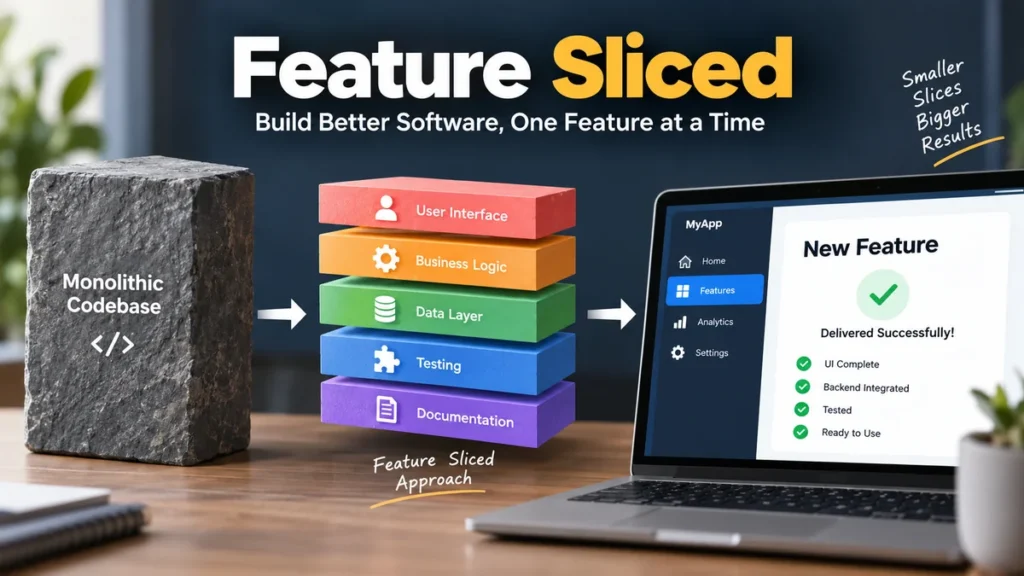
A frontend codebase can start clean and become surprisingly difficult to navigate after a few months of new screens, API calls, state logic, and reusable components. The problem is often not the code itself. It is deciding where each piece of code belongs and what it should be allowed to depend on.
feature sliced commonly refers to Feature-Sliced Design (FSD), an architectural methodology for organizing frontend applications. It structures code through layers, business-domain slices, and technical-purpose segments, while dependency rules and public APIs help keep modules isolated. The goal is a frontend architecture that remains understandable as features and business requirements change.
Feature-Sliced Design is not a JavaScript framework, state-management library, or replacement for React. It is a way of organizing application code. The official documentation describes the methodology as stack-independent, meaning the principles can be applied to different frontend technologies rather than being tied to one framework.
This guide explains how the architecture works, what layers and slices actually mean, how dependencies should flow, where code belongs, and when adopting FSD makes practical sense.
What Does feature sliced Mean?
In frontend development, feature sliced usually describes an architecture in which application code is separated according to architectural responsibility, business domain, and technical purpose.
Feature-Sliced Design uses three central organizational concepts:
- Layers — separate code according to its scope and architectural responsibility.
- Slices — divide appropriate layers according to business domains or meaningful product concepts.
- Segments — group code within a slice according to technical purpose.
The official documentation describes slices as domain-oriented divisions and segments as purpose-oriented divisions. It also emphasizes controlled dependency direction between layers.
A simplified application may look something like this:
src/
├── app/
├── pages/
├── widgets/
├── features/
├── entities/
└── shared/
Then an individual business capability might contain:
features/
└── add-to-cart/
    ├── ui/
    ├── model/
    ├── api/
    ├── lib/
    └── index.ts
This differs from a traditional structure such as:
src/
├── components/
├── hooks/
├── services/
├── utils/
├── stores/
└── types/
The traditional structure primarily tells you what technical type of code a file contains. A feature-oriented structure can also tell you which part of the product or business domain the code supports.
That distinction becomes more valuable as an application grows.
How Feature-Sliced Design Organizes Frontend Applications
The easiest way to understand feature sliced architecture is to think of it as a hierarchy.
At the broadest level are layers. Within most layers are slices. Inside slices are segments.
Conceptually:
Layer
└── Slice
    ├── ui
    ├── api
    ├── model
    └── lib
Each level answers a different question.
| Structure | Main question |
|---|---|
| Layer | What architectural responsibility does this code have? |
| Slice | What business domain or product concept does it belong to? |
| Segment | What technical purpose does this code serve? |
This creates two useful forms of separation simultaneously.
The application has architectural boundaries through layers, while business functionality stays grouped through slices.
Why not organize everything by file type?
Imagine an online store containing products, carts, users, checkout, payments, reviews, and orders.
With purely technical folders, checkout-related code could become scattered:
components/CheckoutForm.tsx
hooks/useCheckout.ts
services/checkoutApi.ts
stores/checkoutStore.ts
types/checkout.ts
Understanding one capability requires moving through several unrelated directories.
A business-oriented organization can instead keep related modules close together:
features/
└── checkout/
    ├── ui/
    ├── api/
    ├── model/
    └── index.ts
This concept is closely related to high cohesion: code that changes for related reasons stays close together.
At the same time, explicit dependency boundaries encourage low coupling between unrelated parts of the system. The official FSD documentation specifically identifies high cohesion and low coupling as benefits of its slice rules.
feature sliced Layers Explained
Layers provide the highest-level structure in Feature-Sliced Design.
A commonly encountered FSD structure includes:
app
pages
widgets
features
entities
shared
Older examples may also show a processes layer. Current official documentation marks Processes as deprecated, so developers working from older tutorials should not automatically reproduce that structure in a new project.
App
The App layer contains application-wide concerns.
Typical examples include:
- application initialization
- global providers
- routing configuration
- global styles
- application-level configuration
- dependency setup
A React project might contain:
app/
├── providers/
├── router/
├── styles/
└── index.tsx
The App layer is special because it is not normally divided into business-domain slices. The official methodology treats App and Shared differently from layers such as Pages, Features, and Entities: they are divided directly into segments.
Pages
The Pages layer represents application pages or route-level screens.
Examples could include:
pages/
├── home/
├── product-details/
├── checkout/
└── profile/
A page combines lower-level modules into something the user can navigate to.
For example:
pages/
└── product-details/
    ├── ui/
    ├── api/
    └── model/
Modern FSD guidance places greater emphasis on keeping page-specific functionality in Pages rather than immediately extracting everything into reusable abstractions.
The FSD 2.1 revision introduced a stronger pages-first approach: code that belongs only to a particular page can remain in that page instead of being prematurely moved into Features, Widgets, or other abstractions.
This addresses a common architecture mistake: creating abstractions before genuine reuse exists.
Widgets
The Widgets layer can represent substantial self-contained interface blocks that compose lower-level functionality.
Examples might include:
widgets/
├── header/
├── product-card-list/
└── shopping-cart/
However, current official guidance says that Widgets can overlap with Features because large UI blocks may also contain user interactions, business logic, stores, and API work. Consequently, routine use of the Widgets layer is now discouraged rather than treated as mandatory.
That is an important difference between current FSD guidance and some older tutorials.
Features
The Features layer represents reusable user-facing interactions or capabilities.
Possible examples include:
features/
├── add-to-cart/
├── change-password/
├── search-products/
└── submit-review/
A useful test is to describe the module as an action.
For example:
- add product to cart
- sign in
- filter products
- submit comment
- change language
But not every button, form, or interaction automatically needs to become a Feature.
If functionality is only needed by one page, current pages-first guidance often favors keeping it within that page until reuse or architectural value justifies extraction.
Entities
The Entities layer represents important business concepts.
An e-commerce application might contain:
entities/
├── product/
├── user/
├── order/
└── review/
A social platform could instead contain:
entities/
├── user/
├── post/
├── comment/
└── community/
An entity can contain more than TypeScript interfaces. Depending on the application, it may include UI representations, data-access logic, state, schemas, transformations, or utilities related to that domain concept.
For example:
entities/
└── product/
    ├── ui/
    │   └── ProductPrice.tsx
    ├── api/
    │   └── productApi.ts
    ├── model/
    │   └── product.ts
    └── index.ts
The key is that the code belongs to the product concept itself, rather than to one specific page or workflow.
Shared
The Shared layer contains reusable application infrastructure and functionality that is not tied to a particular business domain.
Typical areas might include:
shared/
├── ui/
├── api/
├── lib/
└── config/
Examples include:
- generic Button components
- API clients
- formatting utilities
- environment configuration
- generic hooks
- reusable infrastructure
A frequent mistake is treating shared as a dumping ground.
If a function specifically implements product pricing rules, putting it in:
shared/lib/may hide important domain knowledge.
If it genuinely belongs to the product domain, keeping it near the Product entity or another appropriate business slice usually makes the architecture easier to understand.
What Are Slices in Feature-Sliced Design?
Slices divide code according to business meaning.
For example:
entities/
├── user/
├── product/
└── order/
Here, user, product, and order are slices.
The names are determined by the application’s domain rather than by a fixed FSD vocabulary. Official documentation explicitly allows teams to choose slice names and create as many as the application requires.
This is one of the most important ideas behind feature sliced architecture.
Instead of asking:
Is this a component, hook, service, or store?
you first ask:
Which business concept does this code belong to?
The technical classification comes afterward.
Slices encourage high cohesion
Suppose an application has a user entity.
Instead of scattering user-related functionality throughout the project, you might have:
entities/
└── user/
    ├── ui/
    ├── api/
    ├── model/
    └── index.ts
The UI, API integration, model, and related logic remain close to the business concept they represent.
That makes navigation more predictable.
Slices also create boundaries
A crucial FSD rule is that slices on the same layer should not freely depend on one another. Official documentation states that slices cannot use other slices on the same layer, which helps preserve high cohesion and low coupling.
Without this rule, a seemingly modular structure can slowly become a dependency network:
feature-a → feature-b → feature-c → feature-aFolders alone do not create architecture.
Boundaries do.
Segments: ui, api, model, lib, and config
After code has been placed into the correct layer and slice, segments organize it according to technical purpose.
The official documentation lists several conventional segment names.
ui
The ui segment contains display-related code.
Examples:
ui/
├── ProductCard.tsx
├── ProductPrice.tsx
└── product-card.css
It can include components, styles, and display-related formatting.
api
The api segment handles interaction with backend services or external data sources.
For example:
api/
├── getProduct.ts
├── updateProduct.ts
└── productDto.ts
This may contain request functions, data types, mapping logic, and other integration code.
model
The model segment contains the domain’s data model and associated business or state logic.
Possible contents include:
model/
├── types.ts
├── store.ts
├── selectors.ts
└── validation.ts
The exact implementation depends on the stack.
Redux, Zustand, Pinia, Vue reactivity, signals, or another state mechanism can be used because FSD does not prescribe a particular state-management library. The methodology is concerned primarily with architectural placement and dependency boundaries.
lib
The lib segment contains supporting library code needed by the module.
For example:
lib/
├── calculateDiscount.ts
└── normalizeProduct.ts
A good practical rule is to avoid turning lib into another generic utils directory. The code should have a clear relationship to its containing slice.
config
The config segment can contain configuration relevant to the slice or application.
For example:
config/
└── featureFlags.ts
The official conventions mention configuration files and feature flags as examples of what may belong here.
The Feature-Sliced Dependency Rule
Folder names are only part of Feature-Sliced Design. Its dependency direction is what gives the structure architectural force.
The general rule is that a module on one layer may import from layers below it, but not from layers above it.
A simplified hierarchy is:
App
 ↓
Pages
 ↓
Widgets
 ↓
Features
 ↓
Entities
 ↓
Shared
The official documentation describes this as modules being able to know about and import from layers strictly below them.
So a Page can use an Entity or Shared module.
An Entity should not import from a Page.
Conceptually:
pages → features      ✓
pages → entities      ✓
features → entities   ✓
entities → shared     ✓
shared → features     ✗
entities → pages      ✗
Why does this matter?
Imagine shared/ui/Button.tsx importing checkout-specific state from features/checkout.
Your supposedly generic Button now knows about a high-level business capability.
Later, another area wants to reuse Button without checkout. The reusable foundation is no longer truly independent.
Dependency direction prevents that kind of architectural inversion.
Same-layer imports need care
Developers sometimes assume that because two modules are both Features, they can freely import each other.
That undermines slice isolation.
For example:
features/add-to-cart
features/apply-coupon
If add-to-cart directly depends on internal implementation details from apply-coupon, the two features stop being independently understandable.
When two slices need common functionality, the better solution is often to identify the lower-level domain concept responsible for that shared behavior.
Public APIs and Why They Matter
A well-organized directory can still become tightly coupled if modules import arbitrary internal files.
Consider:
import { calculatePrice } from
  "@/entities/product/model/internal/calculatePrice";
The consuming module now depends on the entity’s internal structure.
If that structure changes, external imports break.
A public API provides a controlled entry point:
entities/
└── product/
    ├── model/
    ├── ui/
    └── index.ts
The index file might expose only what consumers are allowed to use:
export { ProductCard } from "./ui/ProductCard";
export { calculatePrice } from "./model/calculatePrice";
export type { Product } from "./model/types";
Consumers can then write:
import {
  ProductCard,
  calculatePrice
} from "@/entities/product";
This provides an architectural boundary.
Internal files can be reorganized without forcing every consumer to know about the change.
Public APIs also make accidental coupling easier to detect because the slice explicitly declares what it exposes.
feature sliced vs Traditional Layered Architecture
Traditional frontend architecture frequently groups code by technical type.
For example:
components/
services/
hooks/
stores/
utils/
types/
Feature-Sliced Design introduces stronger business-oriented boundaries.
| Traditional organization | Feature-Sliced approach |
|---|---|
| Group by technical type | Group by architecture and business domain |
| Business logic may be scattered | Related domain code stays closer together |
| Dependencies may be implicit | Dependency direction is constrained |
| Generic folders can grow rapidly | Slices establish clearer ownership |
| Internal files are often imported directly | Public APIs can define module boundaries |
Neither approach automatically produces good software.
A small application with ten components may not need a sophisticated architecture. Adding six architectural layers to a tiny prototype can create more navigation than value.
The advantages become clearer when business complexity grows and several developers repeatedly modify related functionality.
feature sliced vs Vertical Slicing in Agile
The terms sound similar, but they describe different ideas.
Feature-Sliced Design is primarily an application architecture methodology.
Vertical slicing in Agile describes breaking work into small end-to-end pieces that deliver usable value rather than dividing work into technical phases such as “build database,” “build backend,” and “build UI.”
A vertical slice might include:
UI
 ↓
business logic
 ↓
API
 ↓
database
and produce one complete user capability.
Thin or vertical slicing is intended to create independently valuable, deployable increments rather than incomplete horizontal technical layers.
The concepts can complement each other, but they are not synonyms.
Feature-Sliced Design answers:
How should frontend source code be structured?
Vertical slicing answers:
How should product work be divided into deliverable increments?
Keeping that distinction clear prevents considerable confusion around the phrase feature sliced.
A Practical feature sliced Project Structure
Consider a simplified e-commerce frontend:
src/
├── app/
│   ├── providers/
│   ├── router/
│   └── styles/
│
├── pages/
│   ├── catalog/
│   │   ├── ui/
│   │   └── model/
│   ├── product-details/
│   │   ├── ui/
│   │   └── api/
│   └── checkout/
│       ├── ui/
│       ├── model/
│       └── api/
│
├── features/
│   ├── add-to-cart/
│   │   ├── ui/
│   │   ├── model/
│   │   └── index.ts
│   └── search-products/
│       ├── ui/
│       ├── model/
│       └── index.ts
│
├── entities/
│   ├── product/
│   │   ├── ui/
│   │   ├── api/
│   │   ├── model/
│   │   └── index.ts
│   └── user/
│       ├── ui/
│       ├── model/
│       └── index.ts
│
└── shared/
    ├── ui/
    ├── api/
    ├── lib/
    └── config/
This structure communicates quite a lot before anyone opens a file.
A developer can see that:
- Product and User are domain entities.
- Adding an item to the cart is a reusable capability.
- Checkout is currently page-level functionality.
- Generic UI and infrastructure live in Shared.
- Application initialization belongs to App.
That is one of FSD’s strongest practical advantages: the directory tree starts communicating the application’s business architecture.
How to Adopt Feature-Sliced Design Step by Step
Feature-Sliced Design does not require rewriting an entire application in one migration. Official guidance says it can be adopted incrementally and can also be applied in monorepos by structuring individual packages appropriately.
A sensible migration can therefore happen gradually.
1. Start with the application boundaries
Identify the broad architectural areas:
app/
pages/
shared/
Do not begin by trying to identify every possible Feature and Entity.
A pages-first approach is usually easier because pages already represent visible product boundaries.
2. Move generic infrastructure into Shared
Identify truly reusable, business-independent code such as:
- base UI components
- HTTP client configuration
- generic formatting helpers
- environment configuration
Avoid moving domain-specific code into Shared merely because several files use it.
Reuse alone does not make something generic.
3. Identify stable business entities
Look for concepts that appear throughout the application.
Examples:
User
Product
Order
Article
Comment
These are stronger entity candidates than technical nouns such as:
Form
Modal
Request
Container
4. Extract genuine reusable features
Next, identify meaningful user interactions reused across contexts.
For example:
add-to-cart
sign-in
follow-user
change-language
Do not create a Feature simply because a component contains a click handler.
The architecture should represent meaningful product responsibilities, not every implementation detail.
5. Add segments where they improve understanding
Within each slice, separate technical responsibilities where useful:
ui/
api/
model/
lib/
A tiny slice does not necessarily need every conventional segment.
Empty architectural ceremony does not make the code cleaner.
6. Define public APIs
Expose intentional interfaces from slices and discourage deep imports into internal directories.
This gives each module a clearer contract.
7. Enforce dependency direction
Once the basic structure exists, check imports.
A clean directory tree is meaningless if Shared imports Features or Entities reach upward into Pages.
FSD also has supporting tooling. Its official ecosystem includes architectural linting and generators, and an official CLI can generate layers, slices, and segments.
Automation becomes particularly useful after the team agrees on its architectural conventions.
Common Feature-Sliced Design Mistakes
The most difficult part of FSD is rarely creating directories. It is choosing boundaries that reflect the application correctly.
Turning every component into a feature
A reusable dropdown is not automatically a Feature.
A visual component may belong in Shared UI. A domain-specific display could belong to an Entity. A one-page component may simply stay in its Page.
Use business responsibility, not component size, as the primary signal.
Extracting code too early
A developer sees a large page and immediately creates:
widgets/
features/
entities/
shared/
for every piece.
That can produce architecture with more abstractions than the application actually needs.
Current FSD guidance’s pages-first direction is useful here: keep page-specific code close to the page and extract it when a genuine architectural reason emerges.
Creating a giant Shared layer
This is one of the easiest ways to weaken the architecture.
Directories such as:
shared/utils/
shared/helpers/
shared/components/
can become collections of unrelated code.
Ask what the code represents before placing it in Shared.
If it encodes a business rule, there may be a more appropriate domain-oriented home.
Deep-importing internal files
Imports such as:
import { something } from
  "@/entities/user/model/helpers/internal";
expose implementation details.
Prefer an intentional public API whenever a slice needs to expose functionality externally.
Treating the layer list as mandatory
Not every application needs every possible layer.
If there is no useful Widget, do not create one just because an architecture diagram includes Widgets.
Architecture should reduce cognitive load, not increase it.
Confusing features with entities
A useful distinction is:
Entity: a business thing.
product
user
order
article
Feature: an action or capability.
add-to-cart
sign-in
cancel-order
publish-article
The distinction is not perfect in every domain, but it is a practical starting point.
Benefits of Feature-Sliced Architecture
The official project highlights uniformity, controlled reuse, stability during changes and refactoring, and stronger orientation around business and user needs among FSD’s advantages.
Those benefits translate into several practical outcomes.
Easier code navigation
A developer investigating product functionality can start in the Product entity or relevant page instead of searching across generic folders.
More explicit dependency boundaries
Layer rules reduce arbitrary imports and make architectural violations easier to recognize.
Better refactoring isolation
When implementation details stay inside a slice and consumers use a public API, internal changes can have a smaller blast radius.
Business-oriented structure
The directory tree reflects concepts the product team actually discusses.
Instead of only seeing:
hooks
components
services
utils
developers can see:
product
checkout
user
order
search-products
That makes the codebase easier to relate to the application itself.
More consistent team conventions
When everyone understands what App, Pages, Features, Entities, Shared, slices, and segments mean, deciding where new functionality belongs becomes less arbitrary.
Quick takeaway: Feature-Sliced Design provides the most value when its conventions remove repeated architectural decisions. If developers spend more time debating the methodology than solving product problems, the decomposition is probably too complicated.
Limitations and Trade-Offs
Feature-Sliced Design is useful, but it is not automatically the right architecture for every frontend.
There is a learning curve
Developers must understand distinctions between:
- layers
- slices
- segments
- public APIs
- dependency direction
- domain code and generic code
For teams accustomed to simple components, services, and utils directories, this takes time.
Boundaries can be subjective
Should something be an Entity, Feature, Page-level module, or Shared utility?
Some cases are obvious. Others depend on the business domain and reuse patterns.
FSD supplies rules, but it cannot replace architectural judgment.
Small projects may not need much structure
A prototype, landing page, or tiny application may remain perfectly understandable with a much simpler folder hierarchy.
Using architecture proportional to the problem is usually more maintainable than maximizing architectural sophistication.
Bad decomposition remains bad decomposition
Creating features/ does not guarantee that the chosen feature boundaries are sensible.
A project can technically follow naming conventions while still containing tightly coupled, confusing modules.
The objective is not to produce the correct folder diagram. It is to make change safer and understanding easier.
Can feature sliced Work With React, Next.js, Vue, or Other Frameworks?
Yes. Feature-Sliced Design is not restricted to React.
The official documentation explicitly says FSD is not limited to a particular programming language, UI framework, or state manager and can be applied to web, mobile, desktop, and other frontend UI applications.
That means its architectural concepts can be used with technologies such as:
- React
- Next.js
- Vue
- Nuxt
- Svelte
- TypeScript
- JavaScript
- different state-management solutions
Framework-specific details still matter.
For example, Next.js has its own routing and server/client conventions, while Vue and Nuxt have ecosystem-specific file patterns. Feature-Sliced Design should work with those framework rules rather than blindly replacing them.
The methodology provides architectural boundaries; the framework still determines runtime and framework-specific structure.
When Should You Use feature sliced Architecture?
Feature-Sliced Design becomes especially useful when a frontend has enough business complexity that developers repeatedly ask questions such as:
- Where should this logic go?
- Which module owns this business rule?
- Can this component import that store?
- Why does changing one feature break another?
- Which code is genuinely reusable?
- Why is domain logic hidden in generic utility folders?
The official documentation says FSD can be used by projects and teams of different sizes and is intended for frontend applications rather than libraries.
In practice, the amount of FSD structure you adopt should still match the application’s complexity.
A growing product with many screens, business domains, developers, and changing requirements can benefit from strong boundaries.
A small application can adopt the useful principles without immediately implementing every possible layer.
A Simple Mental Model for Feature-Sliced Design
If the terminology feels complicated, remember three questions.
First: What architectural level owns this code?
That identifies the layer.
Second: What business concept does it belong to?
That identifies the slice.
Third: What does this code technically do?
That identifies the segment.
For example:
entities/
└── product/
    ├── ui/
    ├── api/
    └── model/
Here:
entitiesanswers the architectural question.productanswers the business-domain question.ui,api, andmodelanswer the technical-purpose question.
Then apply one more rule:
Higher-level modules may use appropriate lower-level modules, while lower-level modules should remain independent of the higher-level application concerns that consume them.
That combination—layers, slices, segments, dependency direction, and controlled public APIs—captures the practical core of the methodology.
Final Thoughts on feature sliced
feature sliced architecture is best understood as a method for making frontend boundaries explicit. Feature-Sliced Design organizes an application through architectural layers, business-oriented slices, purpose-oriented segments, controlled dependencies, and module interfaces rather than relying only on generic technical folders.
The most useful lesson is not that every frontend needs app, pages, widgets, features, entities, and shared.
It is that code should have an understandable owner and predictable dependency direction.
Start with pages and obvious application boundaries. Keep page-specific functionality close to the page. Extract stable business entities and genuinely reusable capabilities when the need becomes clear. Keep Shared truly generic, expose intentional public APIs, and avoid dependencies that point in the wrong architectural direction.
Used that way, Feature-Sliced Design is less about creating more folders and more about making a growing frontend easier to understand, change, and maintain.