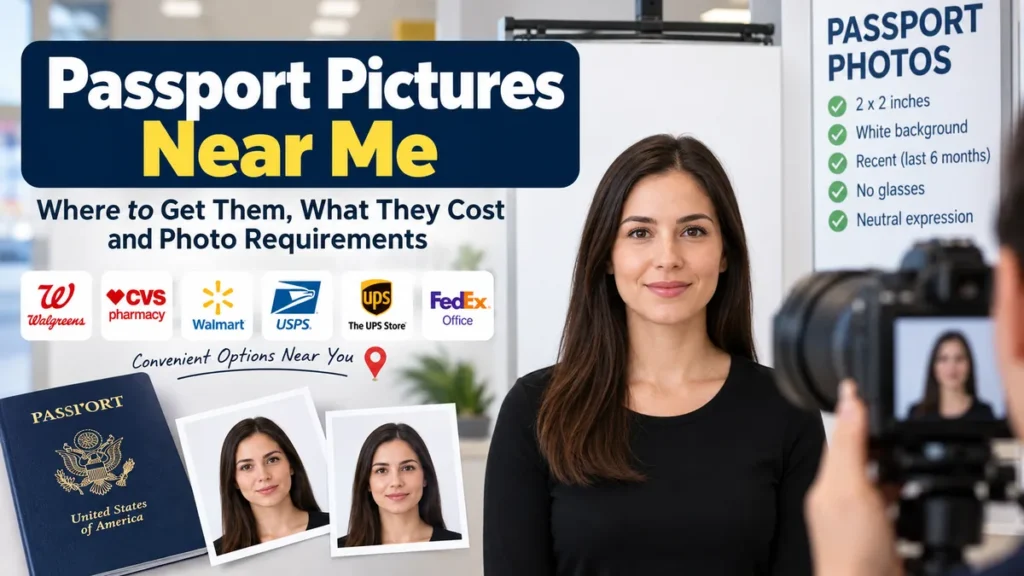
Searching for passport pictures near me usually means you need a compliant photo quickly, without discovering at the passport counter that the size, background, lighting, or format is wrong. Fortunately, passport photos are available at many pharmacies, Post Offices, shipping stores, photo centers, and independent photography shops across the United States.
For a U.S. passport, the safest nearby option is a location that understands current State Department requirements. Your printed photo must be 2 × 2 inches (51 × 51 mm), recent, in color, properly exposed, centered, and taken against a plain white or off-white background. Online renewals require an acceptable digital photo instead of a printed one.
Where Can I Get Passport Pictures Near Me?
The most common places to get passport pictures include:
- USPS Post Offices offering passport services
- CVS Pharmacy photo locations
- Walgreens photo departments
- Walmart Photo Centers
- FedEx Office locations
- The UPS Store
- Independent photography studios
- Some AAA branches
- Local passport and visa service centers
Availability differs from one branch to another. A national chain may advertise passport photos while a particular nearby store does not currently provide them, so checking the individual location before traveling can save time.
USPS Post Office
A Post Office is one of the most useful options when you need both a passport application appointment and a photograph.
Thousands of USPS locations accept first-time passport applications, and many can also take passport photos. USPS now offers both hard-copy photographs and digital passport photo services at many participating locations. Digital photos intended for online renewal can be provided on a USB drive.
For first-time passport applications and photo services, USPS generally directs customers to schedule an appointment, although limited walk-in hours are offered at some locations.
This can be particularly convenient because you can have the picture taken and complete several application steps at the same place.
Walgreens
Walgreens is another commonly available answer to searches for passport pictures near me. Many locations have photo departments that can take and print passport-size photographs during the same visit.
The main advantage is convenience. Walgreens stores are widespread, appointments are often unnecessary for ordinary photo-counter services, and passport photographs can typically be produced quickly.
Some locations or passport-photo packages may also provide a digital copy. Because services and pricing can change, check what your specific store includes before visiting.
CVS Pharmacy
Many CVS locations provide passport photography through their photo department.
A staff member normally takes the photograph, formats it for passport dimensions, and produces physical copies. CVS can be useful when you need a same-day photograph and already have a nearby pharmacy.
Do not assume every CVS has identical photo capabilities. If you specifically need an electronic image for an online renewal, ask whether your location supplies a usable digital file rather than only printed photographs.
Walmart Photo Center
Walmart is frequently among the less expensive in-store options for passport photographs where a staffed photo center provides the service.
However, photo-center services and operating hours can be different from the main store’s hours. A Walmart may remain open late while its photo services have already closed.
Calling or checking the location’s current services before leaving is worthwhile, particularly when you need the picture urgently.
FedEx Office
Some FedEx Office locations provide passport and identification photo services alongside printing and document services.
This can be convenient when you also need copies, printing, or other documents prepared for your application.
As with pharmacies, verify what your particular branch provides, especially if you need an electronic file rather than physical prints.
The UPS Store
Participating locations of The UPS Store provide passport and ID photo services. Because The UPS Store operates through individual locations, services can vary, making it sensible to verify availability with the store you intend to visit.
A UPS Store may be especially practical when you need document copying or shipping services during the same trip.
Independent Photo Studios
A professional photography studio can be a good choice when your photograph requires extra care.
Independent photographers may be particularly useful for:
- Baby and toddler passport photos
- Passport photos for another country
- Visa photographs with different dimensions
- Difficult lighting situations
- Applicants who want multiple printed copies
- Photos requiring country-specific specifications
The U.S. standard does not automatically apply to every foreign passport or visa. If your photo is for another country’s government, tell the photographer exactly which document and country it is for.
Passport Pictures Near Me: Quick Comparison
| Location type | Typical advantage | Printed photo | Digital option | Appointment may be needed |
|---|---|---|---|---|
| USPS | Photo and application services together | Yes | At many locations | Often |
| Walgreens | Convenient pharmacy locations | Yes | May be available | Usually not for basic photo service |
| CVS | Same-day pharmacy convenience | Yes | Location/service dependent | Usually not |
| Walmart | Often lower-cost photo option | Yes | Check location | Usually not |
| FedEx Office | Photo plus document services | Yes | Check location | Usually not |
| The UPS Store | Convenient shipping and document services | Yes | Location dependent | Usually not |
| Photography studio | More personalized assistance | Yes | Commonly available | Sometimes |
Prices, availability, turnaround times, and digital-file options can change by location. Confirm the exact service before making a special trip.
How Much Do Passport Pictures Near Me Cost?
Passport-photo pricing varies considerably.
Recent comparisons of major U.S. providers put common in-store services roughly between $8 and $20, although prices can change and individual franchises or locations may charge differently.
The lowest advertised price is not always the cheapest option for your particular application.
For example, consider what is included:
- Number of physical photographs
- Digital file
- Retakes
- Passport-size formatting
- Same-day processing
- Application assistance
- Printing
- USB or emailed image delivery
If you are submitting a paper application, physical prints may be all you need. For an eligible online passport renewal, the digital image becomes the critical part of the service.
Do I Need Printed or Digital Passport Pictures?
This is one of the most important questions to answer before choosing a nearby photo location.
Paper applications and renewals by mail
For a paper U.S. passport application, you submit one color passport photograph. The printed picture must measure 2 × 2 inches.
USPS specifically distinguishes its services this way: hard-copy passport photographs can be used for new applications and renewals by mail.
Online passport renewal
Eligible applicants renewing online upload a digital photograph.
The State Department currently accepts JPG, JPEG, PNG, HEIC, and HEIF files for online renewal. The file should be between 54 KB and 10 MB.
The online application allows you to reposition or crop the image and performs basic automated checks, followed by human review after submission.
If you search for a passport photo near me with digital copy, confirm beforehand that the provider gives you the actual original digital photograph in a format suitable for upload.
Current U.S. Passport Photo Requirements
Getting a nearby passport picture is useful only if the photograph itself satisfies government standards.
The U.S. Department of State says unacceptable photographs are the number-one reason passport applications are placed on hold, making compliance more important than simply finding the closest photo counter.
Photo size
For a printed U.S. passport photograph:
- Overall size: 2 × 2 inches
- Metric size: 51 × 51 mm
- Head height: approximately 1 to 1 3/8 inches (25–35 mm)
- Head and shoulders should be centered
The photograph should show your entire head without placing you excessively close to or far from the camera.
Photo must be recent
Your picture must have been taken within the last six months.
If your appearance has changed considerably, using an old passport picture simply because you still have copies is a poor idea.
White or off-white background
Use a plain white or off-white background without:
- Shadows
- Objects
- Patterns
- Lines
- Visible textures
Standing several feet in front of the wall instead of directly against it can help reduce background shadows.
Face the camera
You should face the camera directly with your head centered rather than tilted or turned.
Your eyes should be open and visible. For printed passport applications, the State Department specifies a neutral expression with the mouth closed; its current guidance also indicates that a natural smile can be acceptable when the eyes remain open and the mouth is closed.
A straightforward expression remains the easiest approach.
Remove your glasses
Eyeglasses should normally be removed.
A medical exception exists when you cannot remove them for medical reasons, but supporting documentation from a doctor is required.
Sunglasses and tinted glasses are not appropriate for an ordinary passport photo.
Hats and head coverings
Ordinary hats and head coverings should be removed.
Religious and medical exceptions are available, but your full face must remain visible and the covering cannot cast shadows across your face. Applicants using an exception for a paper application may need the required signed statement or medical documentation.
Clothing
Avoid uniforms, camouflage clothing, headphones, and wireless hands-free devices.
Jewelry and facial piercings are generally acceptable as long as they do not hide your face.
Can You Take Your Own Passport Picture?
Yes. The U.S. government does not require a professional photographer to take your passport photo.
Someone can photograph you using a suitable phone or camera as long as the result meets all applicable requirements.
There is one particularly important rule in 2026: do not digitally manipulate the photograph.
The State Department specifically says not to alter passport photos with computer software, phone applications, filters, retouching tools, or artificial intelligence. This includes digitally replacing or modifying an unacceptable background. Instead, correct the physical background or lighting and take another photograph.
That distinction matters because many online guides recommend AI background removal or automatic image enhancement. Such advice conflicts with the State Department’s current instructions for U.S. passport applications.
A safer at-home method
If you take the photograph yourself:
- Find a plain white or off-white wall.
- Stand several feet in front of it to minimize shadows.
- Have another person hold the camera around eye level.
- Look directly into the lens.
- Keep both eyes visible.
- Remove glasses and ordinary headwear.
- Use even natural lighting.
- Leave enough space around your head and shoulders.
- Take several photographs without filters or portrait effects.
- Use the original, unedited image that best meets the requirements.
For an online renewal, the government’s application itself can handle permitted repositioning or cropping during upload.
Can I Use a Selfie for a Passport Photo?
A conventional arm’s-length selfie is risky.
Holding a phone close to your face can distort facial proportions, position your shoulders incorrectly, create an unsuitable camera angle, or leave insufficient space for proper cropping.
The State Department recommends positioning yourself several feet away from the camera.
A better method is to have another person take the picture or securely position the camera farther away and use a timer.
What Should I Wear for Passport Pictures?
Ordinary everyday clothing works well.
There is no general requirement that you wear a particular color, although choosing clothing that contrasts clearly with a white or off-white background usually produces a cleaner photograph.
Keep your appearance straightforward:
- Wear normal street clothing.
- Remove sunglasses and ordinary eyeglasses.
- Avoid uniforms and camouflage.
- Remove hats unless an exception applies.
- Keep hair from obscuring your eyes.
- Do not use accessories that cover your face.
You do not need formal business clothes simply because the photograph will appear in an official document.
Can You Wear Makeup in a Passport Picture?
Normal makeup is generally fine when it does not prevent the photograph from accurately representing your appearance.
Avoid anything that dramatically changes recognizable facial features. Filters, digital beauty effects, skin smoothing, facial reshaping, and AI enhancements should not be used.
The goal is an accurate, current representation of you rather than a professionally retouched portrait. The State Department requires the original photograph without appearance-changing digital edits.
Passport Pictures for Babies and Toddlers
Taking a baby’s passport picture can be more difficult than photographing an adult, and this is one situation where an experienced studio may be worth considering.
For U.S. passport photos, the State Department suggests placing a child on a plain white or off-white sheet. A car seat can also be covered with the sheet before placing the child in it.
Make sure:
- No other person appears in the photograph.
- There are no shadows on the child’s face.
- The child faces the camera.
- The full face is visible.
- The expression is reasonably neutral.
A baby’s eyes do not have to be completely open, although older children’s eyes must be open.
Why Passport Photos Get Rejected
The nearest photo provider is not necessarily the safest provider if staff do not carefully check the image.
Common problems include:
- Incorrect photograph dimensions
- Head positioned too close or too far away
- Blurry or grainy image
- Uneven lighting
- Shadows behind the applicant
- Textured background
- Head tilted or turned
- Closed or obscured eyes
- Open mouth
- Eyeglasses
- Ordinary hats
- Face-covering clothing or accessories
- Digital filters
- AI alterations
- Scanning an old printed photograph
- Submitting an image taken more than six months ago
The State Department requires high-resolution photographs that are sharp and clear. Printed photos should be produced on matte or glossy photo-quality paper, not ordinary printer paper or as photocopies.
Quick Takeaway: A professional-looking photograph can still fail. Correct dimensions, natural appearance, even lighting, an unedited image, and proper facial positioning matter more than artistic quality.
How to Find the Best Passport Pictures Near Me
Instead of choosing the first listing on a map, check whether the location provides the particular service your application requires.
1. Decide whether you need prints or a digital file
Paper application? You generally need a physical passport photograph.
Eligible online renewal? You need a compatible original digital image.
This immediately eliminates nearby providers that cannot supply the required format.
2. Check the specific branch
Search the retailer’s official locator or contact the store.
Ask:
- Do you currently take passport photos?
- What hours is the photo department open?
- Do I need an appointment?
- Do you provide printed photos, a digital file, or both?
- Can you photograph a baby or toddler?
- Can you prepare photos for countries other than the United States?
- What is the current price?
3. Confirm which country’s requirements apply
A U.S. passport photo is 2 × 2 inches, but international passport and visa standards differ.
Do not tell a photographer merely that you need an “ID photo.” Give them the country and document type.
4. Avoid unnecessary editing
A provider may offer cosmetic enhancement or background replacement as part of ordinary portrait services. Decline these for a U.S. passport photograph.
Current State Department guidance explicitly prohibits filters, artificial-intelligence alterations, and digital changes.
5. Inspect the result before leaving
Look for obvious problems:
- Correct background
- No shadows
- Sharp focus
- Natural skin color
- Full head visible
- Straight posture
- Eyes clearly visible
- No accidental reflections or red eye
Finding a problem at the counter is far easier than dealing with a passport application placed on hold.
Are Walk-In Passport Pictures Available?
Often, yes, particularly at pharmacy and shipping-store locations.
USPS operates differently. First-time passport and photo services generally use scheduled appointments, though certain Post Offices offer limited walk-in hours. USPS also permits photo-only appointments.
Independent photography studios may take walk-ins or appointments depending on their workload.
If you need the photograph the same day, checking ahead is worthwhile. Photo-department hours can be shorter than the business’s normal opening hours.
Can I Get Passport Pictures Near Me the Same Day?
In many cases, yes.
Pharmacies, shipping stores, Walmart Photo Centers, local photography studios, and participating Post Offices may provide photographs during the same visit.
The actual picture typically takes only a few minutes. Travel, store queues, appointments, and photo-counter operating hours are more likely to determine how quickly you finish.
If your deadline is tight, choose a provider whose service has been confirmed rather than simply choosing whichever map listing appears closest.
Is a Digital Passport Photo Different From a Printed One?
The underlying appearance requirements are similar, but the submission method differs.
Printed passport photographs have fixed physical dimensions. A U.S. paper passport photo must measure 2 × 2 inches.
For online renewal, the State Department accepts specified digital formats and currently requires files between 54 KB and 10 MB. You should upload the original digital photograph rather than scanning a print or taking a new picture of an existing printed photograph.
This is why asking a nearby photo provider about a digital copy before paying can be important.
Final Checklist Before Using Your Passport Picture
Before submitting the image, verify that:
- It was taken within the last six months.
- It is a color photograph.
- The background is plain white or off-white.
- Your entire face is visible.
- Your head faces straight toward the camera.
- Your eyes are visible.
- There are no distracting shadows.
- The image is sharp and properly exposed.
- You are not wearing ordinary eyeglasses or sunglasses.
- You are not wearing an unauthorized hat or face covering.
- The photograph has not been filtered or digitally altered.
- A printed U.S. photo measures 2 × 2 inches.
- A digital online-renewal image uses an accepted file type and size.
When searching for passport pictures near me, proximity is useful, but compliance should come first. USPS locations, pharmacies, photo centers, shipping stores, and professional studios can all be practical choices. Check the individual location, know whether you need prints or a digital image, and compare the finished photograph against current State Department requirements before submitting your application.