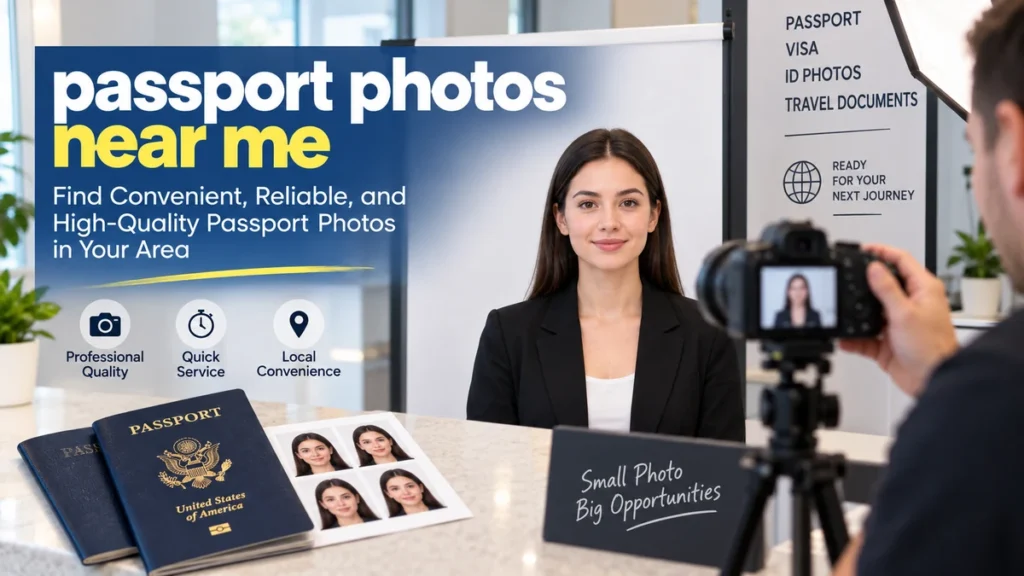
Searching for passport photos near me usually means you need a compliant photo quickly, but the closest photo counter is not automatically the best choice. Passport applications can be delayed when photos have incorrect dimensions, shadows, an unsuitable background, poor positioning, or digital alterations.
Quick answer: In the United States, passport photos are commonly available at participating USPS Post Offices, CVS Pharmacy, Walgreens, Walmart Photo Centers, FedEx Office, The UPS Store, AAA branches, independent photography shops, and some passport acceptance facilities. For a U.S. passport, the printed photo must be 2 × 2 inches, recent, in color, and compliant with Department of State rules.
This guide explains how to find a reliable local passport-photo service, what different providers offer, what a compliant U.S. passport picture should look like, and when taking your own photo may make sense.
Where Can I Get Passport Photos Near Me?
Several types of businesses provide passport and identification photos. Availability varies by location, so checking the specific branch before traveling is worthwhile.
The most common options include:
| Location type | Photo taken there? | Printed photos | Digital option | Appointment commonly required? |
|---|---|---|---|---|
| USPS Post Office | At participating locations | Yes | At some locations | Often for passport services |
| CVS Pharmacy | Selected locations | Yes | Available for an extra fee | No |
| Walgreens | Participating locations | Yes | Varies by location/service | Usually no |
| Walmart Photo Center | Participating stores | Yes | Service varies | Usually no |
| FedEx Office | Yes | Yes | Yes | No |
| The UPS Store | Participating stores | Yes | Varies | Often optional |
| AAA | Many full-service branches | Yes | Some branches | Usually not |
| Independent photo shop | Usually | Usually | Often | Varies |
Not every branch of a national chain necessarily provides passport photography. A store locator that specifically lists passport photo services is more useful than simply searching for the nearest branch.
USPS Passport Photo Locations
USPS is especially convenient when you need both a passport application appointment and a photograph.
The USPS location finder allows users to filter Post Offices by services including Passport Appointments, Passport Photo, Digital Passport Photo, and Passport Walk-In availability.
If you are submitting a first-time passport application using Form DS-11, combining your photo and application visit can reduce the number of stops you need to make.
Remember, however, that passport-photo availability and passport-acceptance availability are separate services. Check both before visiting.
CVS Passport Photos
CVS offers passport and ID photos at selected Pharmacy locations. Its current service provides two 2 × 2-inch prints for $17.99, with an optional digital copy available for an additional charge. CVS states that no appointment is required.
The company’s Kodak Moments system checks the photograph against government specifications before printing.
That automated verification can be useful because a picture that looks perfectly normal to you may still fail because of head dimensions, background shadows, or positioning.
Walgreens Passport Photos
Many Walgreens locations with photo departments provide passport-picture services. Because services and hours can differ by branch, use the Passport Photos filter in the Walgreens store locator rather than assuming every pharmacy can take them.
The locator identifies individual stores that currently list Passport Photos among their available services.
A quick call to the location can also confirm whether the photo counter is operating when you intend to visit.
Walmart Passport Photos
Participating Walmart Photo Centers provide 2 × 2 passport photographs. Walmart currently describes its service as available without an appointment and notes that some locations use self-service camera-equipped kiosks while others may have an associate take the picture.
Walmart is also useful if you already need photo printing, although you should distinguish ordinary photo printing from an actual passport-photo service.
Cropping an everyday portrait into a square does not automatically make it passport compliant.
FedEx Office Passport Photos
FedEx Office currently offers government-compliant printed or digital passport photos for $15.95. According to FedEx, the in-store service does not require an appointment.
A useful feature is the ability to review the photograph before it is printed.
Digital copies can also matter if you are completing an eligible online passport renewal rather than submitting a paper application.
The UPS Store Passport Photos
Participating The UPS Store locations take passport and other identification photographs.
The company says its locations follow recommended U.S. passport-photo requirements, and appointment scheduling is available at thousands of stores, although availability varies.
Because individual UPS Stores are independently owned and operated, confirm that the branch you plan to visit actually provides passport photography.
AAA Passport Photo Services
Many full-service AAA branches offer regulation-size passport photos.
Pricing depends on membership status and regional AAA club. For example, some AAA branches provide passport photos free to qualifying members while charging nonmembers.
AAA can therefore be an economical option for existing members, but not every branch provides exactly the same service.
How to Find the Best Passport Photos Near Me
Searching Google Maps for passport photos near me may produce pharmacies, shipping stores, photo studios, passport agencies, and unrelated businesses. Instead of choosing purely by distance, check several details first.
1. Confirm That the Location Actually Takes Photos
A store may offer ordinary photo printing without taking passport pictures.
Look specifically for wording such as:
- Passport photo service
- ID photos
- 2 × 2 passport pictures
- Government-compliant photos
- Passport photo verification
If the website is unclear, calling ahead can save an unnecessary trip.
2. Check Whether You Need Printed or Digital Photos
The correct format depends on how you are applying.
For a traditional U.S. passport application submitted on paper, you provide one printed photograph. If you are eligible to renew a U.S. passport online, you upload a digital photograph instead.
Do not automatically purchase only printed copies if your application process requires a digital file.
3. Ask Whether the Photo Is Checked for Compliance
A good service should understand requirements involving:
- Image dimensions
- Head size
- Facial positioning
- Background
- Lighting
- Shadows
- Image sharpness
- Expression
- Eyeglasses
- Head coverings
Government compliance matters more than elaborate camera equipment.
4. Compare the Entire Service, Not Just the Price
A cheaper photograph is not a bargain if it must be retaken.
Consider whether the provider includes:
- Multiple prints
- Digital delivery
- Retakes
- Compliance checking
- Same-day service
- Application services at the same location
If you need a photo immediately, travel time and opening hours may matter more than saving a few dollars.
U.S. Passport Photo Requirements You Need to Follow
The U.S. Department of State identifies unacceptable photos as a major reason passport applications are placed on hold. Current guidance requires one recent color photograph that accurately represents your appearance.
Here are the core requirements.
Passport Photo Size
A printed U.S. passport photo must measure exactly:
2 × 2 inches (51 × 51 mm).
Your head must measure approximately 1 to 1⅜ inches (25–35 mm) from the bottom of your chin to the top of your head.
The head and shoulders should be centered.
This is one reason simply cutting down an ordinary portrait frequently fails.
The Photo Must Be Recent
Your passport photograph must have been taken within the last six months and must reflect your current appearance.
Using an old professional portrait because you prefer how you look in it can create problems, even when the photograph otherwise meets the technical specifications.
Use a White or Off-White Background
The background should be:
- Plain
- White or off-white
- Free from visible objects
- Free from textures
- Free from distracting shadows
A brick wall, patterned curtain, window, bedroom interior, or digitally replaced background may be rejected.
The safest setup is a clean, evenly illuminated white or off-white surface.
Face the Camera Directly
Position your head straight toward the camera.
Do not:
- Turn your head sideways
- Tilt your head
- Look down
- Look above the camera
- Use a profile pose
Both your head and shoulders should be centered and fully visible.
Professional portrait posing rules do not apply here. Passport photographs are intentionally straightforward.
Keep a Neutral Expression
For U.S. passport photos, face the camera directly with both eyes visible and use a neutral expression with your mouth closed.
Avoid exaggerated smiles, raised eyebrows, squinting, or other expressions that significantly change your facial appearance.
Remove Eyeglasses
Eyeglasses generally should not be worn in U.S. passport photos.
Limited medical exceptions exist, but documentation may be required when glasses cannot be removed for medical reasons. The current DS-11 instructions specifically state that eyewear is not acceptable unless supported by a doctor’s statement explaining why removal is not possible.
Taking your glasses off before the picture is the simplest approach for most applicants.
Hats and Head Coverings
Ordinary hats, caps, and fashion headwear should not be worn.
Religious head coverings may be permitted when they are part of recognized religious attire customarily or continuously worn in public. Your full face must remain visible, and the covering must not cast shadows across your face.
Medical circumstances can also require supporting documentation.
Wear Normal Everyday Clothing
Wear normal clothing rather than a uniform.
The Department of State instructions say not to wear uniforms, clothing resembling uniforms, or camouflage, except qualifying religious attire worn daily.
A plain everyday shirt or top is usually the easiest choice.
Passport Photo Lighting, Quality, and Background Mistakes
Even a photograph with the right dimensions can fail if its image quality is poor.
Lighting should be even across your face and background. The State Department specifically warns against underexposure, overexposure, inaccurate color, and shadows.
Avoid Strong Shadows
Do not stand directly against the wall when taking a photograph at home. Doing so can produce a dark outline behind your head.
Moving several feet away from the background allows more even illumination.
Keep the Image Sharp
The photograph should not be:
- Blurry
- Pixelated
- Grainy
- Out of focus
- Heavily compressed
Printed passport pictures may be produced on glossy or matte photo-quality paper.
Do Not Beautify or Retouch the Picture
This is particularly important now that phones make image editing almost effortless.
The Department of State says passport photographs must be original and unchanged. Do not modify them with:
- Beauty filters
- AI editing
- Face reshaping
- Skin retouching
- Background-removal tools
- Digital background replacement
- Apps that alter facial features
Digital cropping may be part of an authorized application workflow, but digitally changing the actual appearance or artificially removing the background is different.
Can I Take My Own Passport Photo at Home?
Yes. The U.S. Department of State does not require you to use a professional photographer.
A properly taken home photograph can work when it meets all official specifications.
Have another person take the picture rather than using a close-range selfie. Stand several feet from a plain white or off-white background, face the camera directly, use even lighting, and leave enough space around your head and shoulders for correct cropping.
For paper applications, the Department of State provides a photo tool that can assist with cropping, although it warns that the tool does not determine whether the overall image quality is acceptable.
Professional Service vs. Taking It Yourself
| Factor | Passport photo service | Home photo |
|---|---|---|
| Convenience | Usually fast | No travel required |
| Compliance assistance | Usually available | You check everything |
| Lighting setup | Usually controlled | Must arrange yourself |
| Correct framing | Typically handled | Must crop correctly |
| Printed copies | Usually immediate | Requires printing |
| Digital file | Often available | Already digital |
| Retake risk | Usually lower | Potentially higher |
| Cost | Service fee | Can be inexpensive |
A home photo works best when you have good lighting, enough space, and someone who can take the photograph carefully.
For anyone in a hurry or worried about rejection, an experienced passport-photo counter can remove much of the guesswork.
Digital Passport Photos for Online Renewal
Printed and digital passport photographs are not interchangeable in every application process.
For eligible U.S. passport holders renewing online, the Department of State requires uploading an original digital photo rather than scanning a printed passport photograph. The image should be recent, unedited, evenly lit, and taken against a plain white or off-white background.
When visiting a local photographer or retailer, therefore, say that you need a digital passport photo for online renewal rather than assuming a pair of printed 2 × 2 photographs will be sufficient.
Be cautious with services advertising AI-based compliance. A tool may help evaluate dimensions or composition, but the Department of State explicitly says not to use artificial intelligence or software to alter your submitted passport photo.
Passport Photos for Babies and Children
Getting a compliant passport picture of a baby can be more difficult than photographing an adult, but the rules account for young children.
The child must be the only person visible. A parent cannot appear in the frame, and hands or arms holding the child should not be visible.
For babies, the Department of State suggests placing the child on a plain white or off-white sheet. Another option is covering a car seat with a white or off-white sheet before placing the child inside.
Make sure:
- The child’s full face is visible.
- No pacifier blocks the face.
- There are no facial shadows.
- No parent appears in the image.
- The child faces toward the camera.
The Department of State currently allows an infant’s eyes to be not entirely open. Older children’s eyes must be open.
For toddlers who move constantly, a professional passport photographer may be worthwhile simply because they are accustomed to getting an acceptable image quickly.
How Much Do Passport Photos Near Me Cost?
Prices vary significantly by provider and location.
Current published examples show the difference:
- CVS: two 2 × 2 prints for $17.99, with an optional digital image for an additional fee.
- FedEx Office: printed or digital passport photographs for $15.95.
- Walmart: its current online listing shows a $7.64 in-store passport-photo product, although pricing and availability may vary.
- AAA: prices depend on regional club and membership status; qualifying members at some branches receive passport photographs at no additional cost.
Prices can change, and individual locations may differ from national website listings. Verify the current price with the actual branch you intend to use.
The cheapest option is not necessarily the cheapest overall. A rejected photograph can cost far more in lost time than the difference between two local services.
Do You Need an Appointment for Passport Photos?
Often, no.
CVS, Walmart, FedEx Office, and many dedicated photography locations typically provide walk-in passport-photo services. FedEx currently states that no appointment is necessary, while CVS also says its passport-photo service does not require one.
USPS is different because you may be combining the photograph with a passport application appointment.
The USPS scheduling system lets users search nearby Passport Acceptance Facilities and available appointments, and its location finder identifies facilities that specifically provide photographs.
If you only need a photograph rather than application acceptance, confirm what the Post Office requires before visiting.
Passport Photo vs. Visa Photo: They Are Not Always the Same
One common mistake is assuming a passport photo works for every immigration or travel document.
Different governments can require different:
- Dimensions
- Head measurements
- Background colors
- Number of prints
- Digital file specifications
- Facial positioning
- Paper formats
For example, U.S. passport and many U.S. visa photographs use the familiar 2 × 2-inch format, but other countries may use completely different dimensions.
Tell the photographer exactly which country’s passport, visa, residence permit, or ID document you are applying for.
A service advertising “international passport photos” may have templates for many countries, but you should still verify the latest requirements from the issuing government.
Common Reasons Passport Photos Are Rejected
Most photo problems are avoidable.
A passport photograph may cause an application delay when:
- The picture is too old.
Use a photo taken within the last six months. - The dimensions are wrong.
A U.S. printed passport photo must be exactly 2 × 2 inches. - Your head is too large or too small.
Head dimensions are specifically regulated. - The background contains shadows or objects.
Use plain white or off-white. - Your face is not straight toward the camera.
Avoid tilting or turning. - The image is blurry or poorly exposed.
Details and skin tones should appear clear and natural. - You are wearing glasses.
Remove them unless a documented medical exception applies. - The picture has been digitally altered.
Do not use filters, retouching, AI modifications, or digital background replacement. - Your face is partially covered.
Hair, clothing, accessories, hands, or other objects should not obscure facial features. - The expression is unsuitable.
Keep your expression neutral and your mouth closed.
These requirements are more than cosmetic. The passport photograph is a biometric identification image, so consistency and accurate facial representation matter.
What to Do Before Leaving the Photo Store
Take 30 seconds to inspect the photograph before accepting it.
Check that:
- It looks sharp.
- Your skin tone looks natural.
- Your head is straight.
- Both eyes are visible.
- Your face is unobstructed.
- The background looks plain.
- There are no visible shadows.
- You are not wearing glasses.
- The print is 2 × 2 inches if applying on paper.
- The photographer used the requirements for the correct country.
If anything looks questionable, asking for a retake immediately is easier than discovering the problem after submitting your application.
Are Passport Photos the Same Everywhere?
No.
This distinction matters because a search for passport photos near me can return local businesses serving applicants from many countries.
The 2 × 2-inch requirements discussed above apply to U.S. passports. Other governments may specify another image size, background, crop, expression, or digital format.
Someone applying for a Canadian, British, Australian, Pakistani, Indian, or European passport should check the current instructions issued by that country’s passport authority before taking the photo.
Do not assume that a shop’s generic “passport photo” setting is correct without telling staff the issuing country.
Finding Passport Photos Near Me Without Wasting a Trip
The fastest method is to search for a nearby provider and then verify the actual branch.
Start with dedicated service locators from USPS, CVS, Walgreens, Walmart, FedEx Office, The UPS Store, or AAA rather than relying solely on a map listing. Check that the location specifically offers passport photography, review opening hours, and determine whether you need a printed or digital file.
For a U.S. application, remember the essentials: one recent color photograph, a plain white or off-white background, direct facial positioning, correct dimensions, even lighting, and no unauthorized digital editing.
When searching passport photos near me, distance is useful—but compliance is what matters. Choose a location that understands the requirements, inspect your photograph before leaving, and compare it with the latest instructions from the government issuing your passport before submitting your application.